
Application interfaces are the basic point of contact between users and the application, and they are the means through which the user can interact with all the various functions of the program. Whenever the interface is carefully designed, it is easy to use and quick to access the required information. However, a poorly designed application interface leads to the user feeling confused and losing interest in the application. Therefore, the design of the application interface in… Marketer Company It won’t just be tidy, and makes the app fun to use and efficient at the same time.
Application interfaces
It is composed Online store interface design Or applications with multiple elements, including menus, buttons, icons, images, and explanatory texts that help the user understand the function of any part of the application. Good interface design is based on a set of principles so that the user will not feel overwhelmed. The information must be clear and the elements are easy to read and understand, and the consistent colors and fonts are distinct and thus give a professional feeling and visual harmony. The application interface must be taken into account on different devices, whether they are tablets, large screens, or even phones.
What is meant by designing application interfaces?
Ready-made application interfaces mean paying attention to the way the application appears to users and the way it is used easily, in order to perform various tasks in a simple way, and at the same time integrating aesthetic and practical aspects into the application in order to ensure a comfortable experience for the user, and it is divided into two parts:
User experience design: At this stage, it studies everything that affects the use of applications, including the target audience and needs, and determines the way in which the transition between the screen and the user will be made.
Then the second stage is designing the user interface, in order to apply the results of the study and the user experience to the final appearance of the application, which includes fonts, colors, buttons, and images.
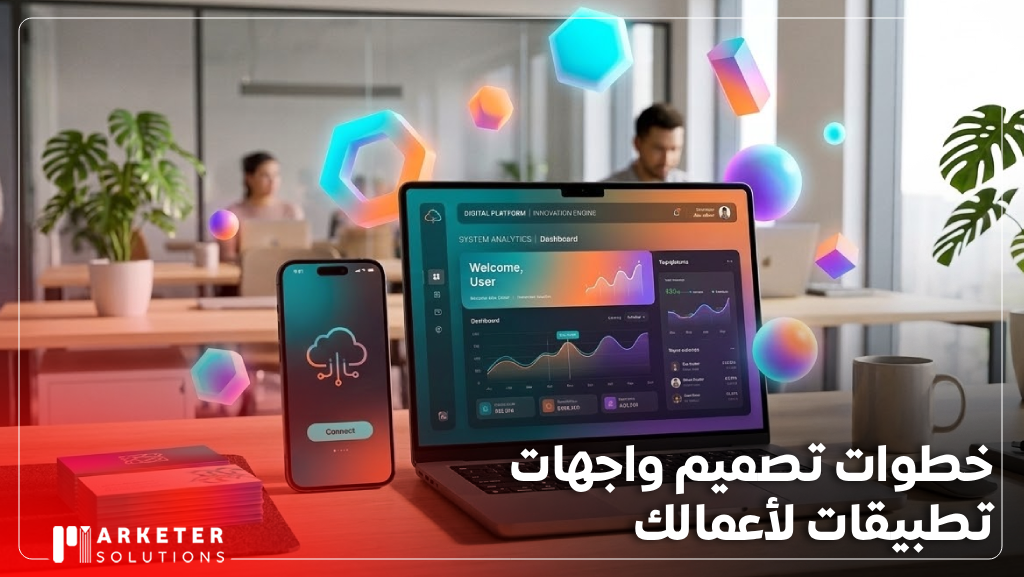
Steps to design application interfaces for your business
Designing practical application interfaces requires multiple stages in order to obtain a consistent and perfect design. Here are the design steps:
- Defining the application’s goals by clarifying its purpose, what problem it will solve, the target audiences, and what the competitive advantages are.
- Analyze the target market by studying the audiences, their needs, what they face, and problems in the field, and monitor competitors and how they design applications.
- Determine the characteristics of the application after studying the market and identifying the basic and secondary features of your application, including the order delivery application, which includes browsing products while filling out the order.
- Develop a work plan with a timetable for each stage and review stations, in order to evaluate progress and determine the budget and cost associated with the project.
- Drawing the wireframe through a structural diagram of the application interface that shows the location of the main elements and what the interaction points are without adding drawings or colors, including the building diagram that shows the structure.
- That is, preparing the visual elements by specifying fonts, buttons, colors, and controls so that they are consistent. This facilitates the design of interfaces quickly and helps maintain a unified appearance.
- Designing the user interface by starting to apply the design for each interface based on the wireframe in addition to formatting instructions, and using programs that lead to the appearance of the final appearance of the application.
- Verify the design and quality by testing the application through simulation to ensure that it is easy to use and to identify elements that need improvement.
Discover the latest mobile application programming technologies in 2026
5 tips for professional app design
There are some tips that will help you design applications professionally, and here are the most important tips:
- Follow design guidelines by monitoring patterns that are inspired by innovative ideas that are appropriate for the audience without any direct copying.
- It is easy to navigate by organizing the elements in a clear way on the small screen and using recognizable symbols instead of long texts.
- Avoid distracting the user by adding aesthetic elements, but with caution in order to support the application’s functionality and at the same time not distract attention.
- It is compatible with all screen sizes and the application is designed to work well on tablets and phones to ensure an integrated user experience and a clear interface on all devices.
- The design is convenient for use and places basic elements and interaction buttons in the middle of the screen or even in areas that are easy to reach with the thumb in order to facilitate daily use.
The main interfaces in mobile application design
The main application interfaces for mobile application design include the following:
- The splash screen that appears when the app opens and displays a notification and the attractive background.
- The introductory screen is used to welcome users and briefly present the application’s basic features.
- The main screen displays the basic functions in the application, including posts in social applications as well as products in electronic stores, and navigation buttons are placed in a clear manner.
- The login screen enables identity verification for any user, displays personal content, reduces required fields, and makes registration quick and easy.
Differences between user interface (UI) and user experience (UX)
User experience is a process that enhances the user by improving the ease of dealing with the application. Interface is the design of a visual appearance and visual elements that the user interacts with. Here are the differences:
| Comparisons | User experience | User interface ui |
| Goal | Easy to use and function. | Visual appeal and interaction. |
| Responsibility | It is the user’s feeling and journey with the application. | Appearance and shape of products. |
| Skills | Research, analysis and planning. | Graphic design, interaction and colors. |
| Outputs | Prototypes | Final screen designs. |
The importance of simplicity and flow in interface design
Simplicity and flow in interface design enhances the user experience and provides you with multiple benefits, which are as follows:
- Simplicity focuses on core elements that make the interface understandable and intuitive without requiring complex learning.
- Reducing the burden by reducing unnecessary elements prevents distraction for users and allows them to focus on their primary goal.
- Streamlined interfaces clearly guide the user through the visual hierarchy and increase the likelihood of completing tasks from registration and purchase.
- Browsing speed and response speed, because the simple design is usually faster to load and more efficient.
- Professional in appearance, as the simplistic orientation gives the impression of professionalism and quality and makes the interface attractive.
Choose the appropriate colors and fonts for the application’s identity
Choosing colors with application fonts helps in understanding the brand, because colors are not considered decorative, but they convey feelings. Blue, for example, symbolizes stability and trust, red is an exciting color, black is luxury, and the presence of contrast between the color of the text and the background ensures ease of reading.
As for choosing fonts, you must avoid the presence of decorative fonts and use clean and modern fonts because they are better for phone applications. Not only that, but using two fonts as a type of maximum for titles leads to a hierarchy.

Designing interactive elements that enhance the user experience
The interactive elements in applications, such as drop-down menus, animations, buttons, and visual effects, play a major role in improving the user experience, because designing these elements in a clear and easy-to-use manner makes interaction with any application easy and smooth. Not only that, but it also stimulates the user to explore. It is important for the elements to be visual and quick to respond, and to explain what the functions of each element are without the need for additional explanation.
Prototypes and usability testing
The prototypes Prototypes It is a copy of applications that shows the appearance of the interfaces before they are fully programmed, and helps visualize the user experience in a practical way while discovering the problem in design and navigation. After a model is created, a usability test is conducted to ensure that users can use the application easily and understand its functions without any difficulties.
This stage allows improvements and modifications to be made before the application is launched, thus saving time and effort and ensuring an effective and smooth user experience.
Frequently asked questions
What is meant by application interface?
It is the part that users interact with directly, and includes menus, buttons, images, and text.
Why is interface design important?
The attractive, clear interface design makes it easier for users to perform tasks quickly and makes the application experience enjoyable, while the complex interface causes confusion and loss of interest in the application.
What are the main interfaces of any application?
The introductory screen, the beginnings screen, the login and account creation screen.
In conclusion, we can say that designing mobile application interfaces is an essential element in the success of any application, as it contributes to providing an easy and enjoyable user experience for users. The clearer and more organized the design is, and takes into account the needs of users, the greater the chances of attracting users and their desire to continue using the application. Therefore, attention should be given to designing the interface and testing it well before launching the application.