
7 steps to create your own online store
These are the seven steps in the correct order. Do not skip any of them, especially the first one, because most stores that fail fail because of a wrong decision in the beginning, not because of implementation.
Step 1: Define your product and audience
Before anything technical, decide what to sell and to whom, because every subsequent decision is based on this answer. A successful product meets three conditions together: ProfitabilityThat is, you will have a reasonable margin left after deducting the purchase price, shipping, packaging, and payment commission. The common rule is that the selling price should be at least twice the total cost so that you can bear the marketing cost later. AndVerified orderThat is, for people to actually search for it, not for you to assume that; Check it for free via Google Keyword Planner or Google Trends to see search volume and trend, and by browsing competitors to see if anyone is selling successfully. AndPersonal attentionBecause you will talk about this product daily for years, and whoever sells what he does not like will stop at the first obstacle.
Beware of three traps: the heavy or fragile product whose shipping cost eats up your profit, the seasonal product that dies ten months a year, and the hyper-competitive product that everyone is selling at a price you can’t compete with. After defining the product, carefully define your audience: who is buying it, how old they are, what problem your product solves, what is preventing them from buying, and where they spend their time. A store that sells “everything for everyone” does not sell to anyone, because the visitor does not feel that it is meant for him. Specializing in one category makes you the first choice in it and greatly reduces your marketing costs. Write in two lines: “I sell (product) to (audience) who suffers from (problem)” before you open any platform.
Step Two: Choose the store name and reserve the domain
The name and domain of your store are your permanent identity on the Internet, and changing them later is very expensive because you lose the visibility and trust you have built. Choose a name that meets four criteria: Short It is preferable that it does not exceed two or three syllables, andEasy to pronounce and write So that whoever hears it can write it correctly the first time, andDistinctive It does not resemble the name of an existing competitor, andGrowable Do not limit yourself to a name such as “Red Bags Store” if you expand later.
Before you settle on a name, check three things at once: the availability of the matching domain with a domain registrar, that the social accounts do not have the same name so that your identity is unified, and that there is no registered trademark in the name to avoid legal problems. Choose the extension consciously: com. It is the most famous and most trusted in the worldsa. It gives you higher local credibility if your audience is entirely Saudi, andstore. Or shop. Acceptable options when no other options are available. Avoid dashes and numbers because they get lost in word of mouth and audio announcements, and avoid long, compound names that are difficult to remember. Register the domain in your name, not in the name of the person who runs the store for you, so that ownership remains yours no matter how the executor changes.
Step Three: Choose the appropriate platform
This is the most important decision in the entire project, because it determines your monthly cost, the flexibility of the design, your ability to expand, and the strength of your appearance in search engines. The decision is first divided into two paths: Ready platform (SaaS) Like Basalat, Zed, and Shopify, it manages all the technical aspects of hosting, security, and updates, and launches your store within days without programming experience, in exchange for a monthly subscription and restrictions on customization. Or Open solution Like WooCommerce, it gives you complete ownership, unlimited freedom, and greater power in SEO, in exchange for your responsibility for hosting, maintenance, protection, and updates, and it requires technical expertise or a developer.
To choose between them, ask yourself five questions: What is my monthly budget? Do I have technical experience or can someone help me? How many products will I offer? Do I sell locally or internationally? Is SEO a priority for me? Then look at the real comparison criteria, not the ads: the package price, the commission percentage on sales, the supported payment methods, the integration of local shipping companies, the freedom of customization, the strength of SEO, the quality of technical support, and the ease of exporting if you decide to move later. The most common mistake is choosing the platform based on its popularity or advertisements, not the size of your project, then discovering the limitations months later and paying the cost of the transition in time and money. We will compare the four platforms in detail in the next section for you to choose wisely.
Step Four: Prepare the design and store identity
Store design is not a matter of aesthetics, but rather a business decision that directly affects the purchase decision. The visitor judges your credibility within seconds of opening the page. Start with your visual identity: Choose two primary colors and a third color for buttons and calls to purchase, a clear Arabic font that is legible on mobile, and a simple logo that displays well in a small size. Make these items consistent across your store, social media accounts and packaging, because repetition is what builds memorability.
Then organize the store structure so that the visitor reaches what he wants in two or three clicks maximum, through a logical category list and a clear search feature. Your home page should immediately answer: what are you selling, why do I trust you, and what do I do now. No store is complete without the essential trust pages: About Us, Exchange and Return Policy, Privacy Policy, and Clear Communication; Her absence alone makes the visitor suspicious and leave.
The top priority remains mobile and speed, because most of your visitors will come from the phone, and slowness alone is enough for the customer to leave before seeing your products. Compress images before uploading, reduce unnecessary additions and animations, and test your store with Google’s free PageSpeed Insights tool. Simplicity always sells more than decoration. If you want a professionally customized design, check out our service Website design.
Step 5: Add your products with accurate pictures and descriptions
The product page is where the purchasing decision is actually made, so give it actual time rather than copying the supplier description as is. Start with the photos because they’re the strongest element: Photograph each product from at least four different angles, with a photo that shows details up close, a photo that shows the actual size next to something familiar, and a photo of the product in use because it helps the customer imagine owning it. Use a white or plain background and good natural lighting; A modern phone with window lighting is better than a professional camera with poor lighting. Don’t use the supplier images that all your competitors are using, it makes you faceless.
Then write a description that sells, not a description that lists. Rule: Start with the benefit, not the specification; Instead of “5000 mAh battery”, write “It is enough for two full days without a charger, with a 5000 mAh battery.” Organize the description so that it begins with a sentence that summarizes who this product is for and why, then a short list of the most prominent benefits, then detailed specifications for who wants it, then an answer to the two questions that the customer usually fears most: size or fit, and the return policy. Add price, quantities and options very clearly.
Finally, do not forget the marketing aspect of each product page: write a title that contains the word that the customer is actually searching for, add alternative text to images, and organize your products into logical categories that facilitate browsing and indexing. Poor description and poor pictures are the two most common reasons for abandoning the cart, no matter how excellent the product itself is.
Step Six: Activate payment and shipping
This step is the gatekeeper to your profits; Every obstacle in it translates directly into an abandoned basket. Provide multiple payment options that suit your audience: credit cards and Mada, and digital wallets such as Apple Pay, which increases mobile conversion because it shortens data entry, bank transfer, and payment upon receipt, which is still important in the Arab market because it reduces the customer’s anxiety about dealing with a new store. Use licensed payment gateways that are integrated with your platform, and be aware that each gateway has processing fees that deduct from your margin, so calculate them in your pricing. Display the security badges and SSL certificate clearly, because any doubt about security immediately stops the purchase.
As for shipping, choose a company based on four criteria: its coverage of the areas where your customers are located, the actual rather than announced delivery time, the cost, and the presence of a tracking feature that reassures the customer. And the golden rule: Show the shipping cost early On the product page or cart, not at the last minute before checking out. A surprise shipping cost is the most common reason for abandoning the cart ever. Choose a clear shipping policy: flat rate for simplicity, free shipping above a certain amount because it raises the average order value, or calculation by region. Then link the store to the company to create shipments, print invoices, and update order status automatically. This saves you hours every day with the first growth in orders.
Step Seven: Launch and market your store
Before launching, test your store yourself by going through the entire purchase process from browsing to receiving the order confirmation, especially from mobile. Check a short list: Do all buttons work? Are the prices and shipping shown correct? Do confirmation messages arrive? Do the links and policy pages work? Does the store look good on different screens? Ask someone who has not seen the store to try the purchase and tell you where they hesitated or were confused. Their feedback is more valuable than your opinion because you know your store better than necessary.
Before you hit the launch button, have three things ready: Google Analytics and Search Console accounts to measure from day one, communication accounts with the first content ready, and a plan for the first month of publishing. Then launch, and start marketing immediately; This is precisely where most new store owners fail: they think that launching is the end when it is the beginning. The store is not a mall that people pass by by chance, but rather a store in the desert that no one knows unless you point it out to them yourself. Don’t wait for visits to come by themselves, and don’t allocate all your budget to design without leaving anything for marketing. Plan your marketing before launch, not after. We’ll detail the steps for this later in this guide.
Compare store platforms: which one is right for you?
There is absolutely no “best” platform, but rather a platform that is best suited to your size, experience, and plans. Note that each platform markets itself as the perfect choice, so here’s an unbiased comparison to help you decide based on your situation:
| The platform | Best suited for | The most prominent feature | The most prominent limitation |
|---|---|---|---|
| Basket | The beginner and small store in the Saudi and Gulf market | Easiest and fastest to launch with a free plan | Limited customization and similar templates |
| Increase | A growing store that plans to expand | Powerful tools and reports for managing operations | Higher cost and requires time to learn |
| Shopify | Who aims to expand internationally | The most advanced in the world and huge integrations | Higher cost and less Arabic support |
| WooCommerce | Anyone with technical or developer experience | Complete freedom and stronger SEO | It requires hosting, maintenance, and technical effort |
Practical rule: Choose a basket If you want to launch quickly and with less complexity, andChoose zed If you have a medium sales volume and a clear expansion vision, andChoose Shopify If you are selling outside the region, andChoose WooCommerce If SEO and full control are your priority and you have someone to manage it technically. Remember that switching between platforms later is possible, but it is costly in time and money, so making the right decision from the beginning will save you a lot.
The cost of creating an online store in numbers
The cost is not a single number, but rather a sum of items, and knowing it in advance protects you from surprises that stop your project midway. Here are the real items and their estimates in the Saudi market:
| item | Approximate cost | Notes |
|---|---|---|
| Platform subscription | From 0 to 299 riyals per month | Basket and Zed start with limited packages and increase with benefits |
| Domain | From 40 to 150 riyals annually | Depending on the extension and registrar |
| Hosting | Included or from 300 riyals annually | Included in off-the-shelf platforms, separate in WooCommerce |
| Custom design | From 2,500 to 7,000 riyals | Optional; Ready-made templates are enough to get started |
| Sales commission | 0% to 5% | It is often charged on free and basic packages |
| Monthly marketing | Variable | The most important and most overlooked item |
Numbers are approximate and change, so check platform prices before subscribing. The most important note: Most of those who plan their store’s budget completely forget about marketing and build a beautiful store without visitors. Allocate a budget for marketing from day one, even if it is small.
Read more: Learn how Create an online store ?
Is the free package enough?
Most platforms offer a free package, and the legitimate question is: is it really enough or just bait? The honest answer: It’s enough to try and get started, but it’s not free in the full sense. Free and basic packages often charge a commission on each sale ranging between 2% and 5%, restrict payment methods to bank transfer or cash on delivery, and limit marketing and shipping features, the number of pages, and languages.
Calculate it yourself: If your sales are 20,000 riyals per month and the package’s commission is 3%, then you pay 600 riyals per month, or 7,200 riyals annually, while a paid package without commission may cost you less than half that. Practical rule: Start for free To test the idea and the market without risk, andGo to Paid Once your commission exceeds the subscription cost. Free is a great starting point, but it’s an expensive option if you stick with it after you grow.
Conditions for opening an online store in Saudi Arabia
If you are targeting the Saudi market, regulatory compliance is not optional, which also gives your store customer confidence. Here are the most important requirements:
- Register your business: Extract a commercial register from Ministry of Commerce Covers e-commerce activity.
- Verify your store in the business platform: Documentation gives your store credibility and reassures the customer before purchasing.
- Register with the Zakat and Tax Authority: Obtain a tax number and adhere to electronic invoicing according to the system.
- Provide approved payment methods: Use licensed payment gateways that comply with central bank instructions.
- Protect your customers’ data: Implement encryption and security measures to protect personal and financial information.
- State your policies clearly: Publish your exchange, return, and privacy policy to protect consumer rights and yours.
These systems change and are updated, so check with the competent authority before launch to ensure the latest requirements.
Advantages of creating your own online store
Creating your own online store achieves multiple advantages, whether global reach or continuous availability throughout the day. Here are the advantages in detail:
- It enables you to transcend geographical boundaries and thus reach the largest possible audience, and the store is always available for shopping.
- It saves you time and effort, reduces costs, and enables you to continue working anywhere.
- It makes it easy for you to connect Social media platforms It provides tools for advertising and marketing.
- The possibility of providing many electronic payment methods, and also non-electronic payment is available, all for the convenience of customers.
- It has an easy-to-use control panel for managing products, orders, and inventory, in addition to customer behavior analysis tools.
- It allows collecting information about target customers in order to present personalized offers to them.
- You have complete control over the brandOnline store interface design And services provided.
- It helps you increase profits and sales and enhances customer confidence in the brand.
Common mistakes when creating a store
Most stores fail not because of a weak product, but because of repeated mistakes that can be easily avoided. Pay attention to these specifically:
- Don’t choose platform by fame: Choose based on your size, experience, and expansion plans, not based on platform advertisements.
- Don’t neglect the mobile experience: Most of your visitors come from the phone, and a slow or confusing store will lose them immediately.
- Don’t forget your marketing budget: Spending all your budget on design leaves you with a beautiful store with no visitors.
- Don’t hide the shipping cost: Suddenly appearing at checkout is the most common reason for abandoning the cart before completing the purchase.
- Don’t settle for bad photos: Weak images and incomplete descriptions kill trust, no matter how good your product is.
- Don’t ignore SEO from the beginning: Neglecting titles and descriptions will make your store invisible on Google for years.
- Do not launch without testing: Try out the entire purchasing process yourself before launch to catch errors before your customers do.
Read also: Better Marketing plan for an online store The.
How do you market your store after launch?
Here’s the truth that the platforms don’t tell you: the store alone doesn’t sell. Creating the store is 20% of the project, and the remaining 80% is bringing visitors and converting them into buyers. A store without marketing is like a closed store on a street where no one passes. Here’s where to start:
- Optimize your store for search engines: Write descriptive titles and descriptions for each product so that it will appear to anyone searching for it for free.
- Start with one channel: Choose the platform on which your audience is located and master it instead of scattering across all platforms.
- Employ social proof: Collect your customers’ reviews and photos, they are more powerful than any ad you pay for.
- Try an ad on a small budget: Test what works with a small daily amount before expanding your spending.
- Build a mailing list: Win back your non-purchasing visitors with personalized messages and offers that will bring them back into the store.
- Follow Turkish baskets: Remind those who added a product and did not complete the purchase, as they are the people closest to actually purchasing.
To expand on this point, see our guide on How to start e-marketingTo understand the relationship between the store and marketing, see The difference between e-commerce and e-marketing.
Add products and manage them in a professional manner
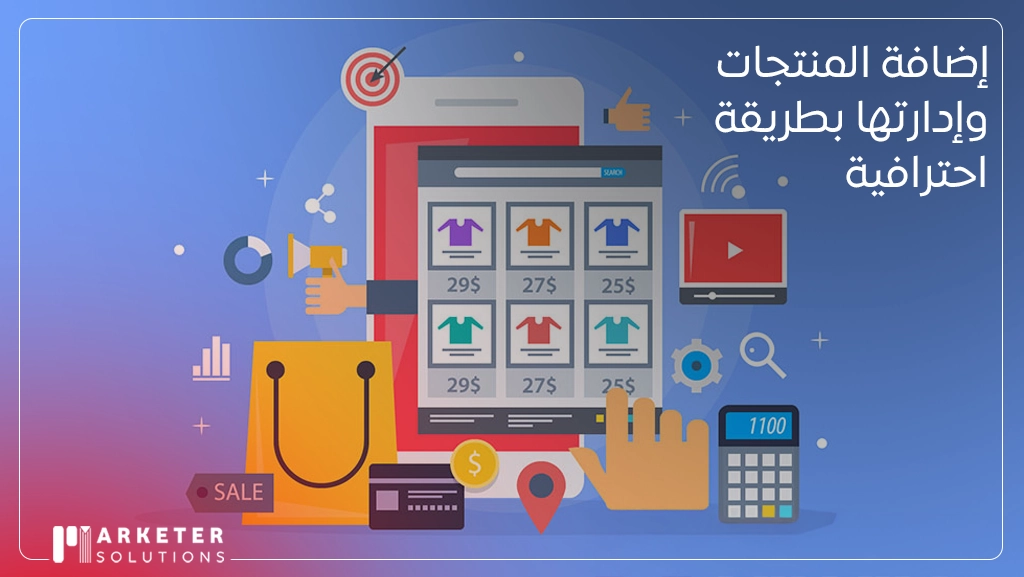
Adding products to the online store and managing them professionally through Marketer is one of the essential things that leads to the success of your store, because when adding the product you must upload high-quality photos and write a clear and detailed description with features and benefits, in addition to the price, available quantities, and additional options. Professional management includes organizing the products into appropriate categories, periodically monitoring the inventory, and analyzing the performance of the products to identify the most popular and best-selling products. This method guarantees an easy purchasing experience for the customer while increasing sales opportunities and keeping the store organized.
Frequently asked questions
How do I start creating an online store?
Start by carefully defining your product and audience, then choose a name and reserve a matching domain, and choose the appropriate platform for the size of your project and experience. Then prepare the design with an emphasis on mobile speed, add your products with high-quality images and a description that explains the benefit, activate payment and shipping methods, then test the entire purchasing process yourself before launching and start marketing immediately.
How much does it cost to create an online store?
The cost consists of several items: the platform subscription ranges from zero to about 299 riyals per month, the range is from 40 to 150 riyals annually, and the optional custom design ranges from 2,500 to 7,000 riyals, in addition to a sales commission that may reach 5% in the free packages. The most important and most overlooked item is the marketing budget. Numbers are approximate and change, so check platform prices before subscribing.
Which platform is best for creating an online store?
There is absolutely no better platform that is more suitable for your situation. The Basket is suitable for a beginner who wants a quick and simple launch, Z is suitable for a developing store that plans to expand and needs stronger reports and tools, Shopify is suitable for those aiming for international expansion, and WooCommerce is suitable for those who have technical experience and want complete freedom and greater power in SEO.
Is it possible to create an online store for free?
Yes, platforms such as Salat and Zid provide free packages that are sufficient to test the idea and get started. But it’s not completely free: they often charge a 2% to 5% commission on each sale, and limit payment methods, marketing features, and shipping. Rule of thumb: Start with free to test the market, and move to paid once your commission exceeds the cost of the monthly subscription.
Does creating a store require technical skills?
Not in ready-made platforms such as Sella, Zed, and Shopify, as they are designed for a non-technical person to launch his store within days without writing a single line of code. As for WooCommerce, it requires technical expertise or a developer to manage hosting, maintenance, and updates. The real skill you will need in all cases is not technical but marketing: how to attract visitors and turn them into customers.
How long does it take to create an online store?
On ready-made platforms, a basic store can be launched within a few days, and with a custom design it usually takes 3 to 7 days or more depending on the size of the store and the degree of customization. But the launch is not the end; Real time is then spent on marketing, attracting visitors, and improving conversion, and this is an ongoing process that does not end when the store opens.